Skip to content

All-in-one dry cleaning store operations & customer managementLegatus Inc.

Every garment,one ledger.

Legatus LINK is a browser-based store operations OS for dry cleaners. Register garments at the counter, and the same ledger carries customer management, finishing and pickup, deposit receipts and tag printing, invoices and daily sales. Paper stubs and hand tallies give way to one screen at the counter.

Before subscribing, try every screen with sample data — including deposit-receipt previews.

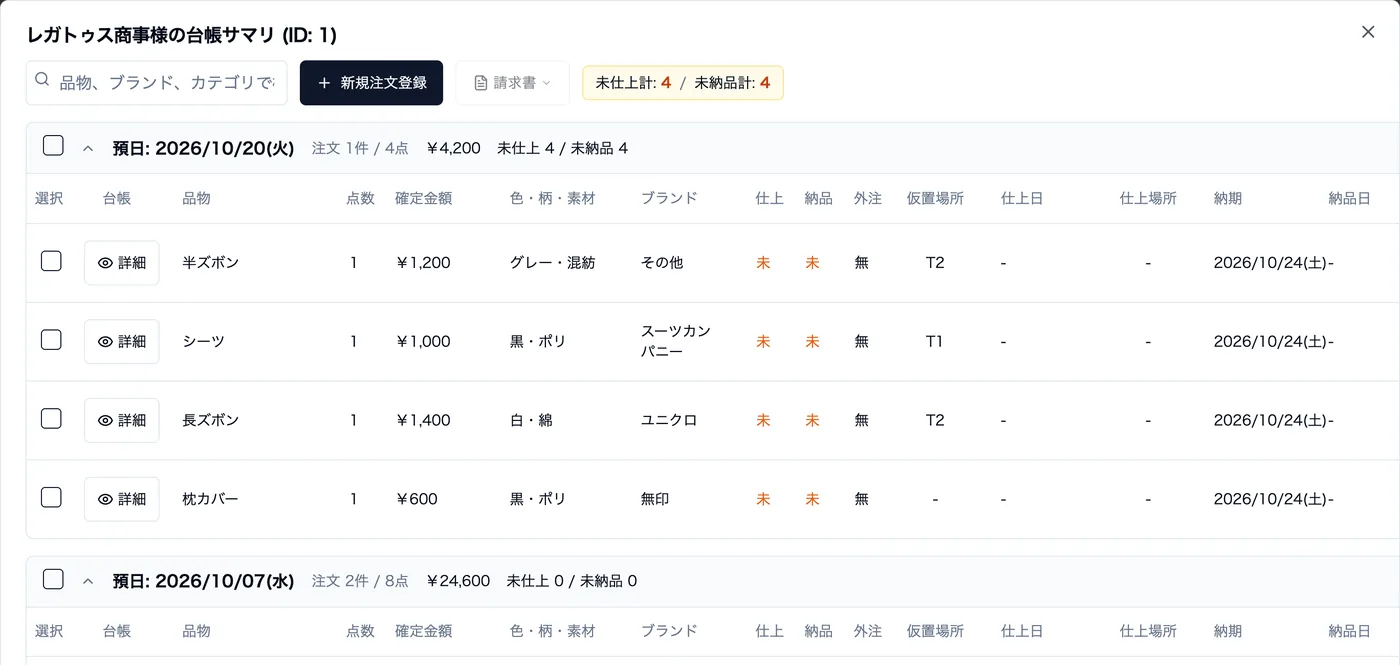
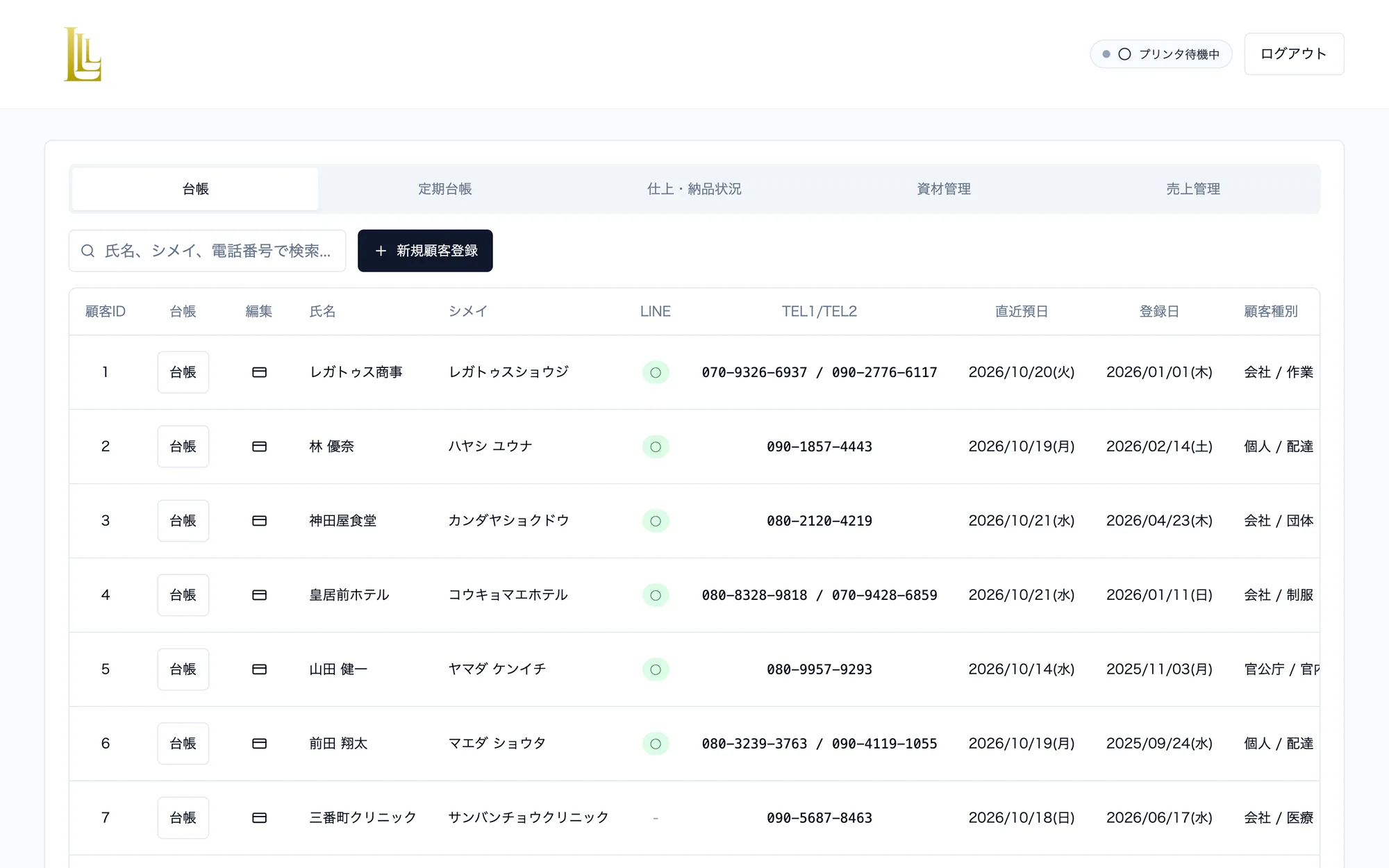
Customer ledger list in the Legatus LINK dry cleaning store system
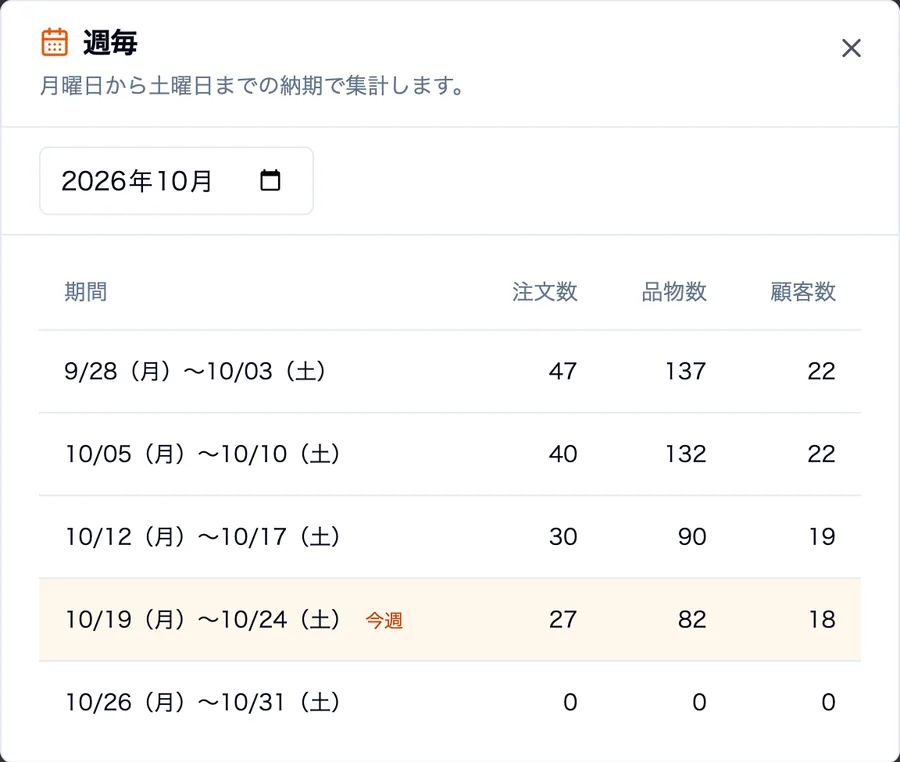
Weekly counts of orders, garments and customers by due date
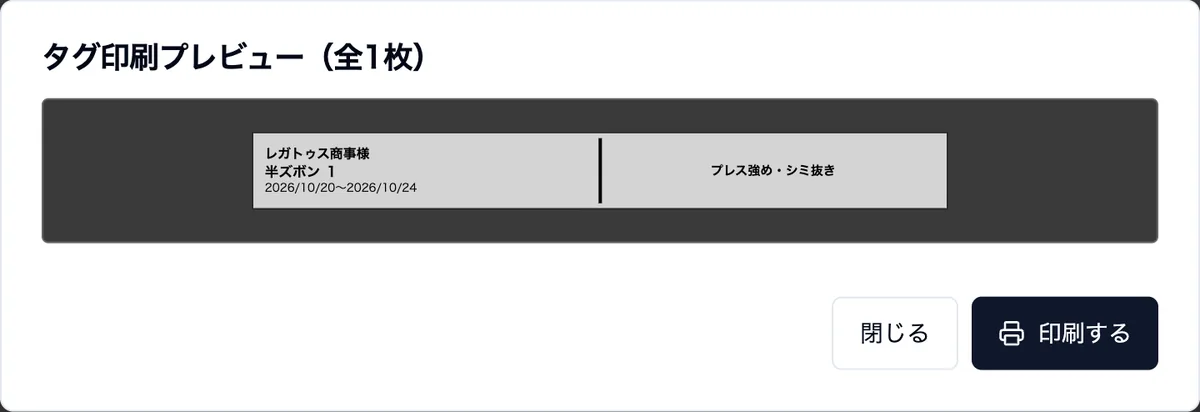
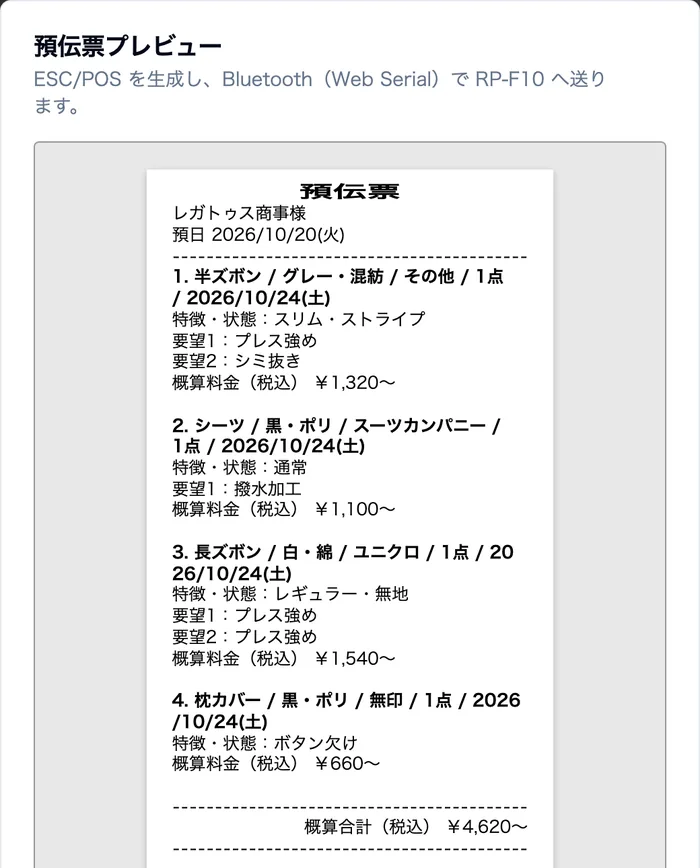
Print preview of a deposit receipt (預伝票)
Actual screen in Legatus LINK (interface in Japanese)

Three strengths of this dry cleaning store system

  1. 01

    Customer management, per garment

    Finishing and pickup are recorded for each garment, not each order — so an order that is only partly finished is shown exactly as it is, streamlining dry-cleaning customer management.

  2. 02

    Tag printer integration for slips

    Built for dry-cleaning tag printer workflows: deposit receipts (SII RP-F10), hanger tags (NITTO DURA-SL-400) and red slips (CITIZEN CT-S401), each checked in a preview first.

  3. 03

    Ledger and sales share one dataset

    The daily sheet is calculated from ledger orders, with manual overrides where needed. Period, customer-type and item analyses come from the same data.

Same question, different answer

Common dry-cleaning counter questions, answered the way a paper deposit-receipt shop typically would, and the way Legatus LINK does. The numbers on the right are the ones shown in the actual screens below.

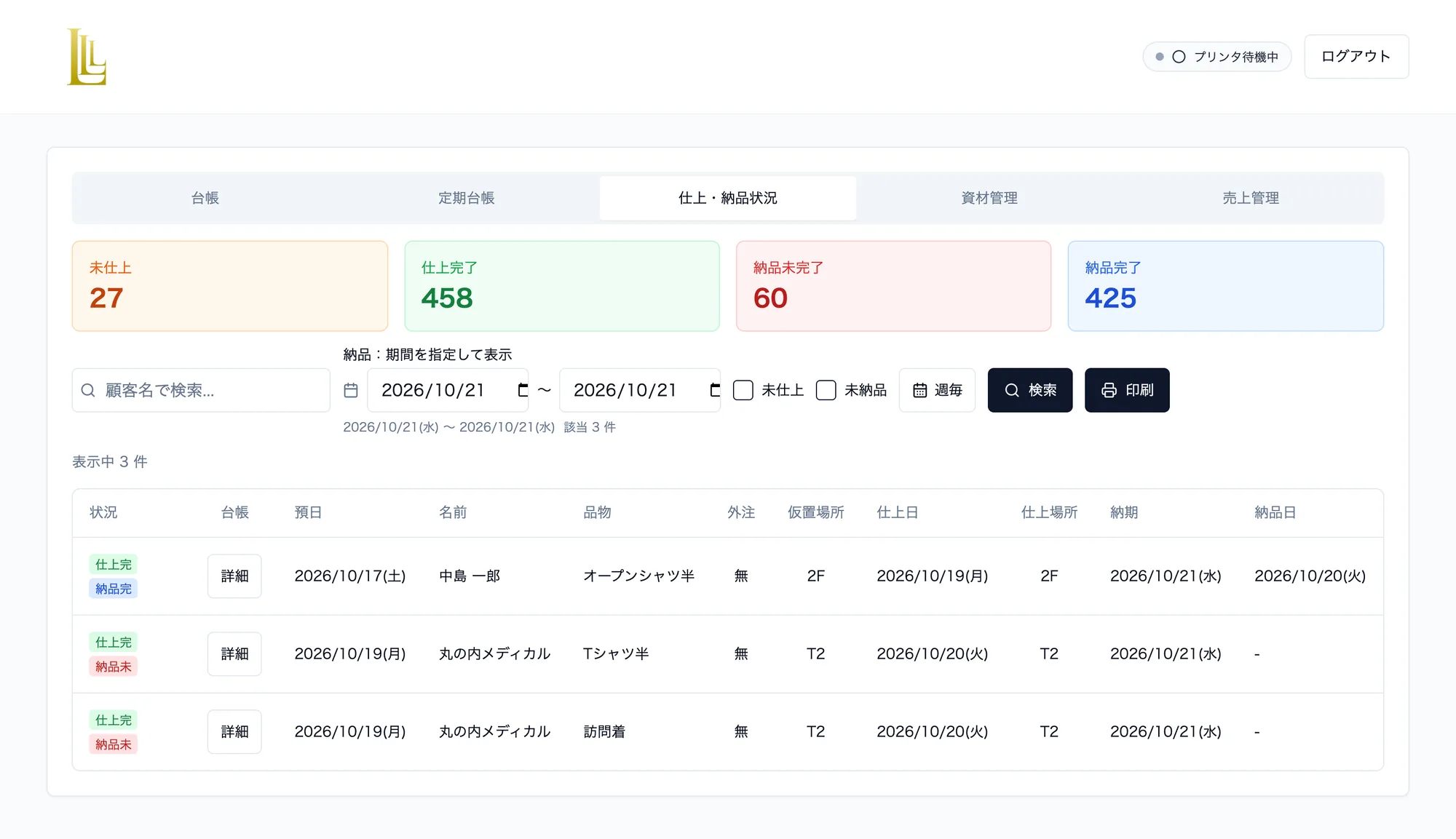
How many garments are not finished yet?

Typical answer

You can't tell until you match the receipt stubs against the racks.

Legatus LINK

Open the finishing & pickup screen and the per-garment counts are already there — no hunting through deposit stubs.

Not finished
27
Not picked up
60
Finished
458
Finishing and pickup screen with counts and a garment list
Actual screen in Legatus LINK (interface in Japanese)

How busy is this week?

Typical answer

Flip through the intake book and count orders by due date by hand.

Legatus LINK

Press “Weekly” to see orders, garments and customers per Monday–Saturday due-date week.

Orders this week
27
Garments this week
82
Customers this week
18
Weekly summary of orders, garments and customers
Actual screen in Legatus LINK (interface in Japanese)

Figures come from sample data, not from any real store. About the screens

The whole counter workflow

Six features cover dry-cleaning intake through sales. Use the pause button to stop the carousel.

  • Customer ledger screen for dry cleaning customer management

    Customer ledger & management

    Streamline dry-cleaning customer management: each customer's orders, garments, amounts and finishing/pickup status, grouped by drop-off date on one screen. Slips are issued from here too.

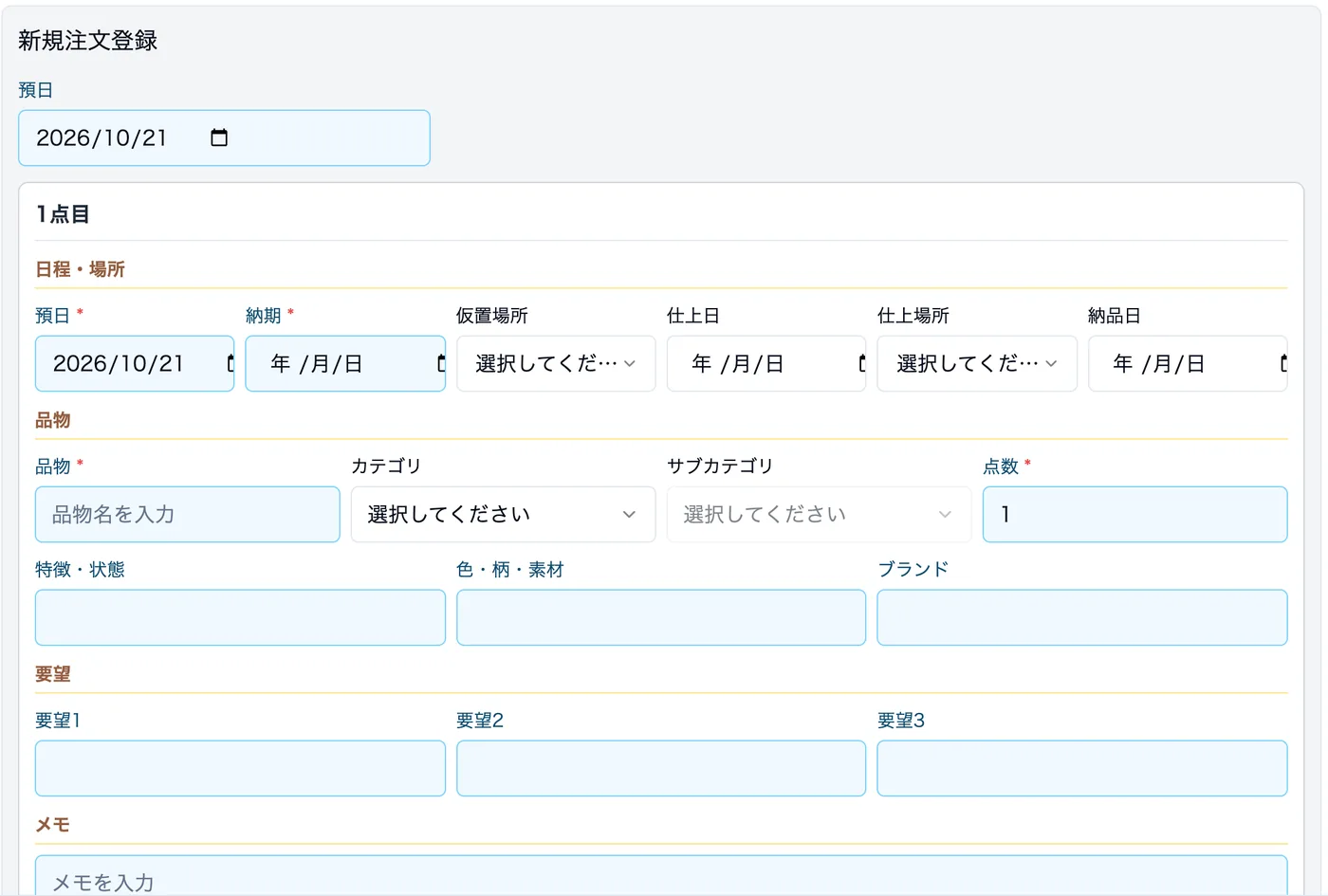
  • New order entry form

    New orders

    Enter due date, temporary location, condition, color, brand and requests for each garment — pick from the price list or type freely.

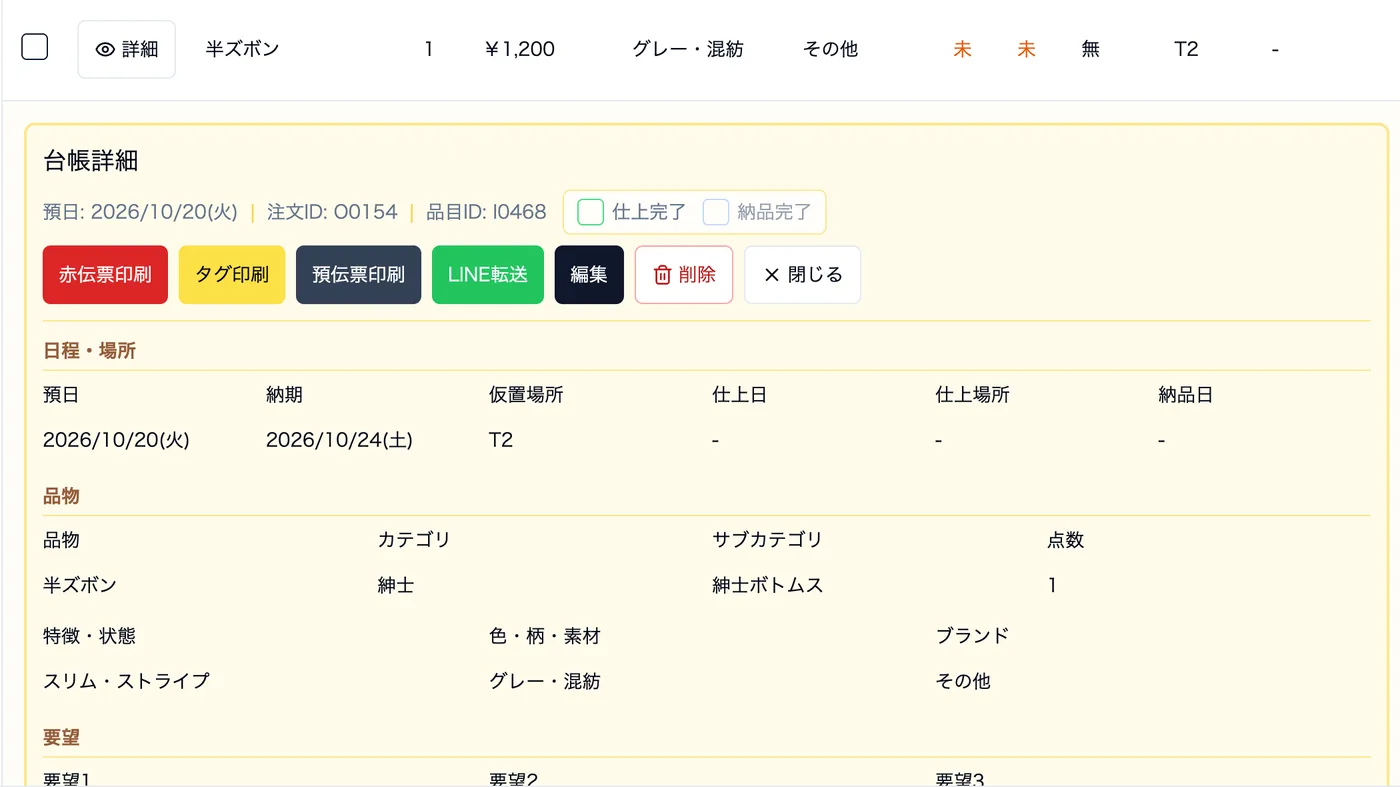
  • Garment detail with finishing and pickup checks

    Per-garment finishing & pickup

    Mark garments finished or picked up from their detail view and record dates and locations (T1–T4, H1–H7, 2F and more).

  • Tag printer integration print preview

    Deposit receipts & tag printer integration

    Print deposit receipts, hanger tags and red slips via tag printer integration — including SII RP-F10, CITIZEN CT-S401 and NITTO DURA-SL-400 — with a preview before printing.

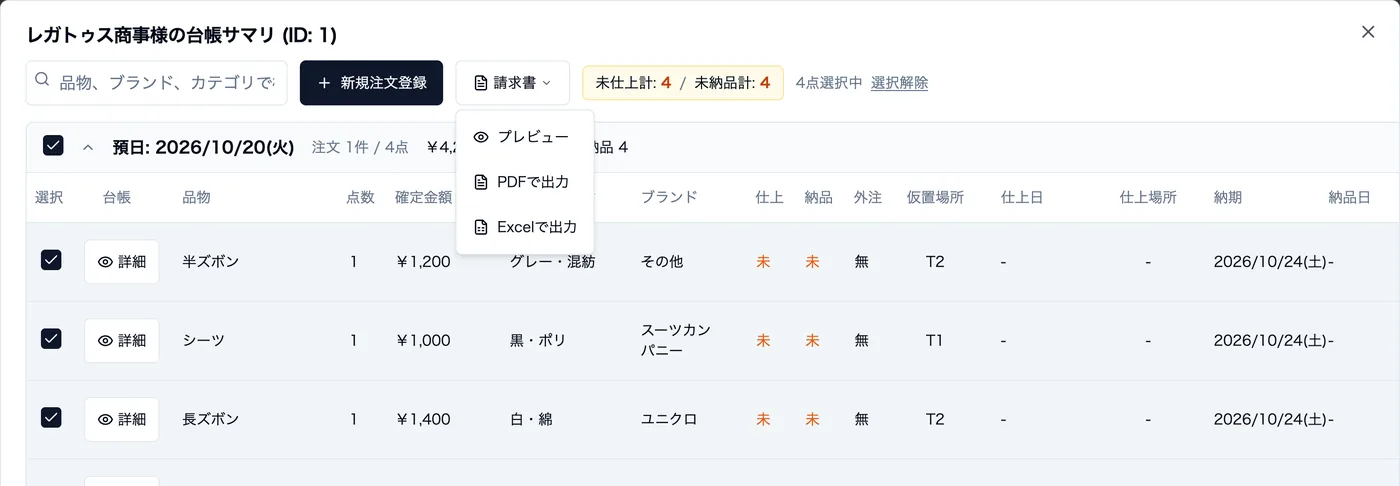
  • Choosing garments and an invoice output format

    Invoices

    Build invoices from the garments you select rather than whole orders, and output them as a preview, PDF or Excel file.

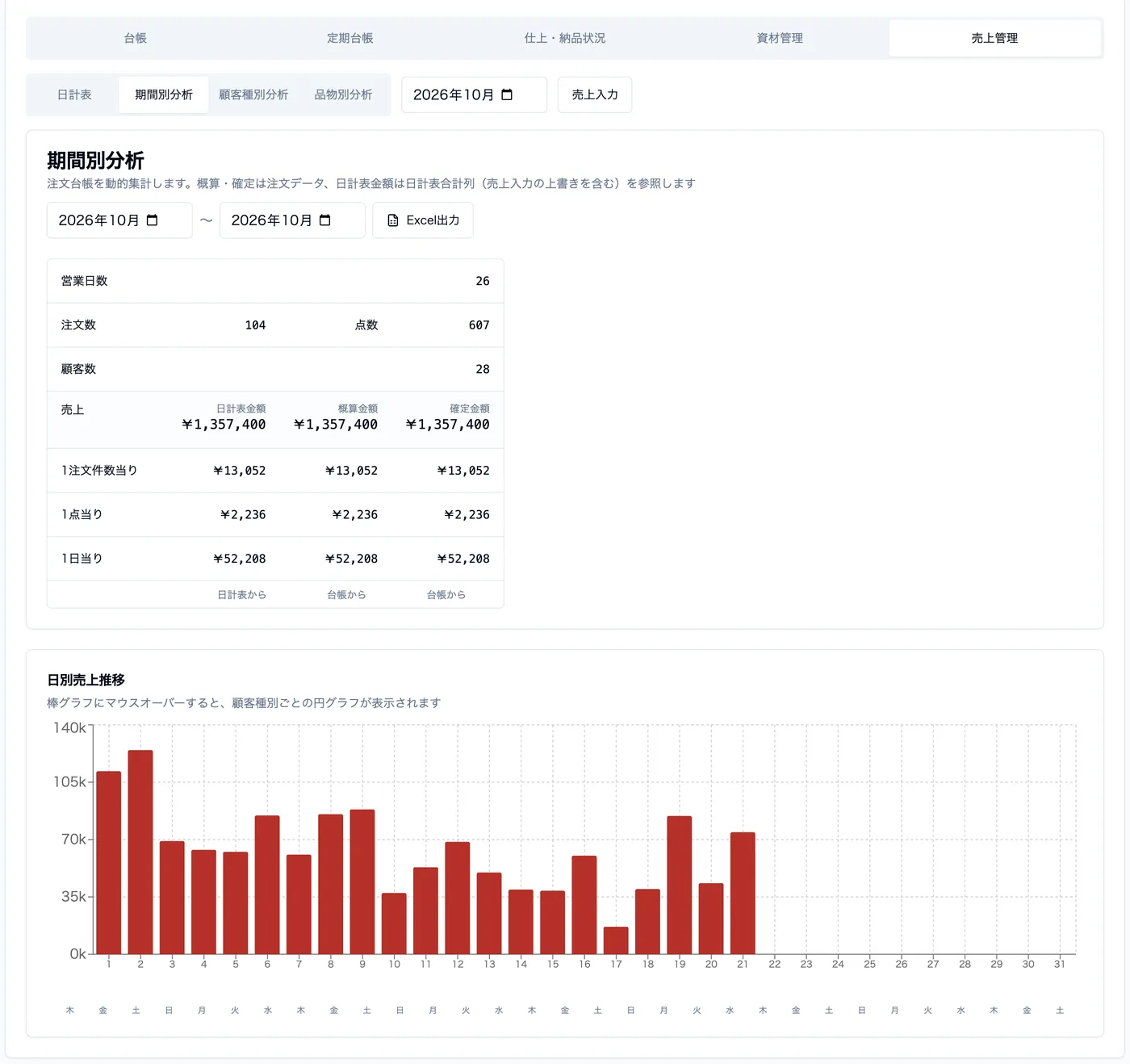
  • Sales analysis by period

    Sales totals & analysis

    Alongside the daily sheet, view analyses by period, customer type and item. The period analysis exports to Excel and supports day-to-day store efficiency.

Actual screen in Legatus LINK (interface in Japanese) ・ About the screens

Two ways in

One entrance to try this dry cleaning store system, another for stores on the monthly plan.

Look around first

Try every screen right away with sample data — from customer management to deposit-receipt previews.

  • No sign-up or login needed
  • Work with sample customers and orders
  • Changes are temporary and reset on reload
  • Deposit receipts and tags can be checked up to the print preview
Look around first

Monthly plan

A monthly subscription that runs as your store operations OS day to day.

  • Provided as a cloud service billed monthly
  • Runs in a single browser on an iPad or store PC
  • Connects via tag printer integration and barcode scanners
  • The operator handles subscriptions and setup inquiries
Subscribe or ask about plansAlready subscribed? Log in here
ItemLook around firstMonthly plan
PriceFreeMonthly subscription
Getting startedPress a buttonSubscribe, then log in and start
DataSample dataCustomers and orders entered at the store
SlipsUp to print previewPrinted on your store's own printers
Best forChecking screens and feelStores adopting the monthly plan

Frequently asked questions

Which devices does it run on?

It runs in the browser on an iPad or a store PC (Windows or Mac). As a browser-based store operations OS, we guide printing based on your store's devices and printers.

Can we keep using our current printers and tag printers?

Yes. Legatus LINK supports dry-cleaning tag printer integration, including proven setups such as SII RP-F10 for deposit receipts, CITIZEN CT-S401 for red slips and NITTO DURA-SL-400 for hanger tags, and also adapts to the printers you already use. Tell us about your equipment before introduction.

Can deposit receipts be issued more efficiently?

Yes. After intake you can print a deposit receipt in one click — a deposit-receipt efficiency app that reduces handwritten stubs, with a preview before printing.

Can orders be opened with a barcode?

Yes. Scanning the order ID on a receipt or internal slip (for example, O001) opens that order's ledger detail.

Can customers get their receipt on LINE?

The QR code printed on the deposit receipt leads to the store's LINE Official Account chat with the receipt contents ready to send.

How much does it cost?

Legatus LINK is a monthly subscription. Please contact the operator, Legatus Inc., about plans, pricing and the setup process.

Start by looking at the screens.

Without signing up, you can try dry-cleaning customer management, deposit-receipt previews and sales analysis with sample data. Stores use it on the monthly plan — the operator handles subscriptions and questions.

Already subscribed? Log in here →